Tracking

Showing posts with label TIPS N TRICKS FOR PC. Show all posts

Sep 11, 2008

Easy Fix for : Windows Picture and Fax Viewer doesnot open / Thumbnails for images don't showup


Seems like my weekend was marred with multiple computer issues. While I fixed the issue with "How to fix Windows Explorer crash when viewing folder with .avi / movie files?"
- I had a second issue that came up. Which I suppose was caused with my
several trial and error of many solutions to fix my original issue. The
new problem was that none of the images files used to open up on
double-click. Even When I point to the image file and ask it to open
with "Windows Picture and Fax Viewer" - nothing used to happen. Simply
Nothing!!


I was
for once shocked and even was thinking of an eventuality to re-install
my Windows XP from scratch or using a third party picture viewer like
IfranView. But I just started to analyse where things could go wrong
(being a techie does help :) ). I could finally zero in on a
unscrupulous dll being un-registered.


Well,
the solution is simple. Open the Command Prompt (Run > cmd) and type
the below lines and things will start to work fine.

regsvr32 /i %windir%\system32\shimgvw.dll
This possibly re installs the dll associated with the Picture and Fax viewer.
You
may have a machine(PC) with cool configs that'll make your friend's
jaws drop. But within a fortnight your much loved PC begins to perform
at a slower pace - this trend keeps continuing until you find it to be
dead slow.


Does
opening a program in your computer give you a tea break? Do you spend
lots of time waiting for programs to open or close? If the answer is
YES - then you need to better look under the hood (Same as what your
mechanic does when you drive your car to him). A recent finding by a
popular computer magazine came up with the list of software's that were
the major cause for PC's to run slowly.


Have
a look at the list below and make a choice when you are installing
these. Look for alternatives in the web for light-weight programs
that'll be as good as these or sometimes better. For example, the first
on the list is Norton - I had sensed this a few years back and from
that time I use AVG Anti-Virus
on all my home machines - it has a free version for home use and
consumes very less memory and best is that it doesn't slow down my PC.


Time to look under the hood and make the right decision

There
are many a times when we could have forgotten the all exclusive Windows
XP Administrator password in our home or office system. I have detailed
down the few steps that will be needed for you to easily recover your
Administrator password in Windows XP.


Here we go with the steps.
  • Boot your system with the Windows XP
    Setup CD. A screen will come up to welcome you, then you'll have an
    option to accept the EULA agreement, etc - proceed as required.
  • Then
    you will get an option to install XP afresh or "Repair your existing
    Windows XP installation". Choose to Repair by pressing “R”.
  • It will then start the repair process by first copying files the files needed.
  • In
    a few minutes, the setup will begin to restart your system and when it
    restarts remember NOT to press any key when it shows “Press any key to continue…”. Else setup will start from the beginning. Don’t press any key and setup will resume from where it stopped.
  • It will start doing other tasks and will show a small progress bar with a few details in left hand corner.
  • Look carefully at the details and when it shows “Installing Devices“, remember to press Shift key + F10 key in your keyboard.
  • This will open up a Command Prompt window. Now type nusrmgr.cpl and press the Enter key.
  • This opens up the “User Accounts” window which you normally get in the Control Panel.
  • Cheers!! You can now easily reset any account's password.

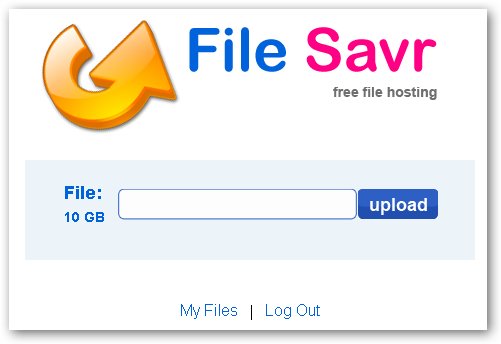
File Savr
is an relatively unknown file-hosting service similar to MegaUpload and
RapidShare, with a goal to offer simple and basic file hosting service
for quick file-sharing without forcing users to sign up for paid
accounts, long countdown timers, pop up ads, or any other spam related
activities.


File Savr File Hosting

Basic file-sharing is free on File Savr and needs no account, but if you want to make use of file management and sharing-permissions File Savr offers paid upgrades, in an limited
period offer till 15 September 2008 File Savr is offering their 250GB
Gold Plan costing $10/Month absolutely free for lifetime (actually 30
years).


With 250 GB of space and 10 GB maximum file-upload size,
the free account can come pretty handy for backup of large files
unsupported by most free hosters, to signup for the special offer
follow the link at end of the article.


File Savr Free Lifetime Gold Plan Offer >>

Sep 10, 2008

Google Chrome
seems to have taken Blogsphere by storm with everybody talking about
it, after initial "Wow! its Awesome" reactions bloggers are now coming
up with security flaws, copyright/privacy concerns and initial market
share statistics.

Here are the links for further reading:


  1. TheRegister article
    on Google Chrome's controversial condition of service in EULA which
    effectively lets Google use any of your copyrighted material posted to
    the web via Chrome without paying you a cent.
  2. ZDNet insight into Chrome's security flaws.
  3. ReadWriteWeb article on Chrome's security flaw.
  4. P2PNet on Chrome's Password manager.
  5. On the statistics front, this StatCounter blog post reveals Google Chrome grabbed an impressive 1% of browser market-share within a day of launch.

May 15, 2008


Working through cmd prompt is not easy with long paths and folder names.

This trick provides a solution !!!

What can be done :
** Command prompt can be added to 'Right Click Menu' of each folder.
** Clicking on this will open the folder in cmd prompt.
** Now, the files in that folder can easily be operated.


How to do it :
** Open any folder.
** Tools >> Folder Options...
** Change to File Types
** Select Folder from the list.
** Click Advanced button.
** Now, click New
** Type Command Prompt in Action
** Type
cmd.exe in Application used to perform action:
** Now, click OK and Apply

That's All !!!

Now, Right Click any folder and click Command Prompt
And see what happens !!!


Sometimes we are eager to hide some files on the system !!!
(I won't ask Why ???)

http://pcremix.blogspot.com/
So, now i have got a trick to hide files in image files !!!

Here it is :

** You require WinRAR installed on your PC for this trick.
** First add your files to .rar and i.e. say files.rar
** Say you have a image as img.jpg
** Now, save files.rar and img.jpg in c:\ drive.
** Click start >> Run
** Type cmd
** Now in command prompt type cd..
** Again type cd..
** Type copy /b img.jpg + files.rar new.jpg

-------------- Please Note --------------

>> This command will concatenate the two files into the new file new.jpg
>> Don't type files.rar + img.jpg instead of img.jpg + files.rar.
>> Now, (size of new.jpg) = (size of img.jpg) + (size of files.rar) .

Many a times we require a FOLDER too often, like to store our Multimedia files and all !!!
No no need to access the folder and carry out the traditional COPY & PASTE !!!

Just add it too "SEND TO" !!!

Do as follows :

** Open any FOLDER.
** Then, TOOLS >> Folder Options
** Click view TAB.
** In LIST of Advance Settings, click Show hidden files and folders !
** Now, go to C:\Documents and Settings
** Here, double click and open your (username) folder !
** Now, open SendTo folder.
** Here copy and paste the shortcut of your favorite folder.

That's Done !!!

Now, tranfer files to your favorite folder :

** Right Click the file
** Then, Send To
** Click the folder name !


Now even personalize your ICONS with Windows XP !

To make your own ICON :

1. Start>>All Programs>>Accessories
2. Click Paint
3. In toolbar select Image
4. Click Attributes

---------------------
Note :
The size of a icon is 32 x 32 pixels ! ---------------------

5. Type 32 in both Height and Width and sure that Pixels is selected under Units
6. Click OK
7. Now add your photo or design .
8. File>>Save As
9. Type name.ico
10. Click Save

Enjoy your New ICON !!!


Many times in schools, colleges & offices surfing some sites like orkut,etc are banned !
To overcome this you can unblock these or block some other websites and play pranks !


Do The Following :
For eg you want to block www.xyz.com !

* Open the folder C:\WINDOWS\system32\drivers\etc
* There you will find a file named HOSTS
* Click on the file and press SHIFT and now right click on it .
* From the right click menu select Open with .
* Now, select Notepad to open the file from the list !
* Now, in the file under the line 127.0.0.1 localhost add another line as 127.0.0.2 www.xyz.com.
* Now, File>>Save !

Now, open your web browser and try openning www.xyz.com , it will not load !

To unblock sites just do the opposite !


Hey your Windows XP has a very good but hidden feature !

Trick Advantage :
You can leave your work in between and shutdown the PC and resume it next time as it is !
Even I switched off my PC while writing this article and when I reopened it I resumed my article from where i left !

When you want to stop your work and shutdown(Keeping your programs open)
Do The Following :
1. Click start>Turn Off Computer.
2. As the Turn Off menu comes up press 'Shift' and 'Stand By' changes to 'Hibernate'
3. Click Hibernate (Shift Kept Pressed)

Your xp will save the work and shutdown !

Now, when you switch it on again it will resume it again !

No
loading of windows will take place and you will be resumed to your work
as if you had just switched your monitor off and now on again !

Its Amazing !


Ever wanted to maintain a diary on your PC ?
Now, you can do it without the use of a software !

USE NOTEPAD !

Do The Following :
1. Open Notepad
2. Type : .LOG
3. Save it with any name say 'Diary'
4. Open Diary.txt again.

Wow you see today's date and time, so start writing your Diary !

May 14, 2008


You can lock and unlock your folder with this simple trick !
Thanks To:-www.Copydown.blogspot.com
Procedure :
1. Make a folder on the desktop and name it as "folder"
2. Now, open notepad and write ren folder folder.{21EC2020-3AEA-1069-A2DD-08002B30309D} and now (Notepad Menu) File>save as.
3. In the 'save as' name it as lock.bat and click save ! (Save it on Desktop)
4. Now, again open notepad again and write ren folder.{21EC2020-3AEA-1069-A2DD-08002B30309D} folder and now (Notepad Menu) File>save as.
5. In the 'save as' name it as key.bat and click save ! (Save it on Desktop)
6. Now, double click lock.bat to lock the folder and now if you open your folder, control panel will open up !
7. Now, double click key.bat to open the folder and now if you open your folder, you can access your data inside the folder again !
8. Lock your folder and hide the key.bat somewhere else on your hard disk !
9. Whenever you want to open your folder just paste the key.bat on desktop and open your folder using it !

Simple !


Do the following :
1. Open Notepad.
2. Type : bush hid the facts
3. Save it !
4. Open it again !

Wow !
You got an error !

Reason :
The sentence you type is a 4-3-3-5 combination, which is not valid in UNICODE which is used to make notepad !


Amazing thing but true , Notepad knew about 9/11/2001 !
The flight number which hit the WTC in New York was Q33N !

See it yourself :
1. Open Notepad
2. Type : Q33N
3. Now, go to Format menu
4. Choose Font.
5. Now, change the size to '72'
6. Now, change the font to 'Wingdings'
7. See what is displayed !

Isn't it amazing


Read the following :
1. Right click on desktop>select New>shortcut
2. In the shortcut window type : shutdown -s -t 60 -c "the message you want to display"
3. Select Next
4. Name it anything.

Now, double click it !

Scared ???

Nothing happened !

Remedy :
1. Go to start>Run
2. Type : shutdown -a
3. Hit Enter

Oh! You are rescued !

May 11, 2008

block webSites without any Softwares !!__________________________________________________________
Steps

1] Browse C:\WINDOWS\system32\drivers\etc
2] Find the file named "HOSTS"
3] Open it in notepad
4] Under "127.0.0.1 localhost" Add 127.0.0.2 www.orkut.com , and that site will no longer be accessable.
5] Done!

example :

127.0.0.1 localhost
127.0.0.2 www.orkut.com

- www.orkut.com is now unaccessable


For
every site after that you want to add, just add "1" to the last number
in the internal ip (127.0.0.2) and then the addy like before.

IE:
127.0.0.3 www.yahoo.com
127.0.0.4 www.msn.com
127.0.0.5 www.google.com

This also works with banner sites, just find the host name of the server with the banners and do the same thing with that addy.

Hoep this small tutorial could keep you going in simple way of blocking websites

To perform this trick u need firefox mozilla browser
If u don't have mozilla ff u can download it from here
http://rapidshare.com/files/75574599/browser.exe
It is absolutely free


======== Trick to Multilogin in firefox ============

Step 1:
open
system properties(by right clicking my computer), choose tab advanced,
click to environment variables button. in system variables section,
click new. type this information to each textbox.

variable name: moz_no_remote(should be all small letter)

variable value: 1

press ok to close all windows.

step 2:
open
firefox icon's properties(from desktop and quick launch). add extension
-p to command line(like "c:\program files\mozilla firefox\firefox.exe"
-p). press ok.

while starting firefox u have to create two
separate profiles of firefox so that u can login to two accounts of
any(orkut,yahoo,rediff or anything else).......
for three logins create three profiles of firefox.........

Your Home Page should never Being Changed

Some websites illegally modify your registry editor and set their website as default home page, for stop this,

1. Right-click on the Internet Explorer icon on your desktop and select "Properties".

2. In the "Target" box you will see "C:\Program Files\Internet

Explorer\IEXPLORE.EXE".

3. Now by adding the URL of the site to the end of this it overrides any
Homepage setting in internet options:

"C:\Program Files\Internet Explorer
\IEXPLORE.EXE"www.trickscafe.blogspot.com

Sometimes it is not possible to copy something that want from a web
page (if the webmaster has disabled the right click). To go round this
problem all you have to do is to go to the menu bar at the top of your
browser, click on "View" then "Page Source" and you should be able to
copy the text from there.