Tracking

Showing posts with label PC. Show all posts

Sep 11, 2008

Google Earth 2008 Download Free


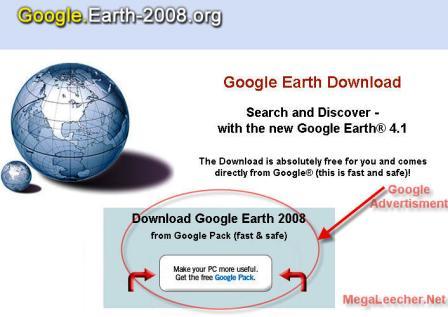
Fake news is being circulated around the internet of new Google
Earth 2008 download being available on a website with the name
earth-2008.org, in reality the site in question is displaying Google
Pack download as a part of Google Adsense Referrals advertising network
the owner simply make upto $2 per download when the misinformed visitor
downloads the OLD Google Earth thinking it as a new 2008 version.


Google advertising network usually takes strong actions against such
tactics and the publisher in question might get his account banned
pretty soon.


There exist no such thing as Google Earth 2008 as
of now, but you can always get the current version of Google Earth
software from Google Pack, use the link below to download Google Earth.


Download Google Pack Here >>

Sep 10, 2008

Keeping
your computer driver's and applications updated is always recommended
to maintain system stability and security, Automated software solutions
exist for scanning system drivers and performing these update tasks,
However, majority of these solutions like Driver Detective, DriverAgent, and DriverMagic are not free, but RadarSync 2008 Free Edition wont cost you a penny and is far better then many of these paid driver update scanning softwares.


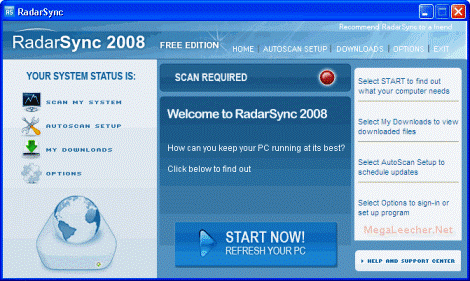
RadarSync 2008 Free

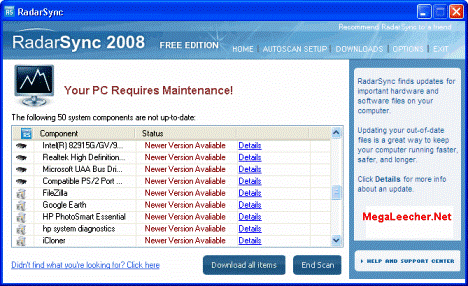
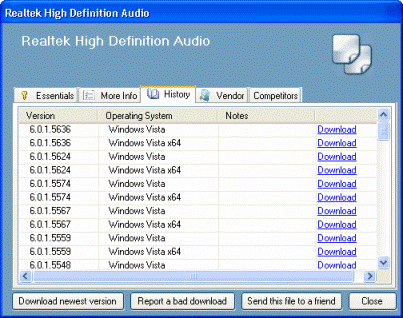
RadarSync 2008 scans your computer for out-dated device drivers and applications providing detailed information and version details.


Driver Update Scanner

Driver version

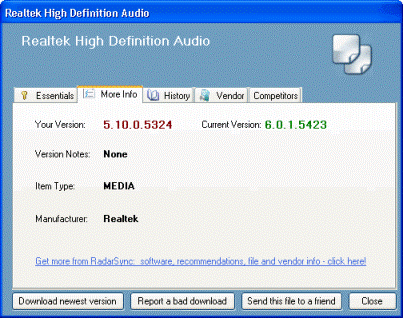
Scanning is fast and does not takes much time, RadarSync also allows
you to view driver/application version history with option to download
a specific version of the driver or application, this can come handy
when a specific version of drivers is required by your hardware
combination to work smoothly.


Driver Version History

The free version of the software contains optional advertisement components which can be unchecked safely during install. The Pro paid version offers auto-scan reminders and customer support.


Download RadarSync 2008 Free Edition >>

Keeping
an eye on what's running on your computer is essential for your data
security and optimal system performance, Identifying and removing
unwanted processes is quite easy if you are an advanced computer user,
users simply need to launch Windows Task Manager or a similar advanced task manager
and kill the unwanted process, but if you are having a tough time
recognizing processes, ProcessLibrary.com can come in very handy, Now
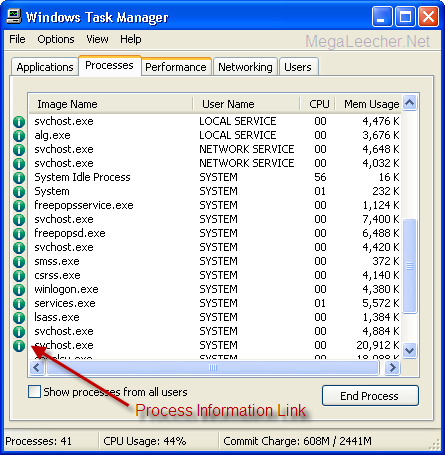
with UniBlue's ProcessQuickLink you can get the latest definitions and advice on all the processes running directly from the Windows Task Manager.


Process Information

Clicking the icon launches your default webbrowser with exhaustive information about the process.


ProcessQuickLink is free and is fully compatible with Windows 2000, XP, 2003 and Windows Vista.


The same can be achieved by manually searching a search engine or
the ProcessLibrary.com for the process name but the simple utility
makes this damn easy removing all the hassles of typing cryptic process
names for searching.


Direct Download Link >>

Need to convert Video File to audio(.Mp3,.....) File

AoA Audio Extractor provides you a handy tool to extract audio/sound or background music from video files.


With AoA Audio Extractor, you can easily extract audio tracks from AVI,
MPEG, MPG, FLV (Flash Video), DAT, WMV, MOV, MP4, 3GP video files and
save them as MP3, WAV and AC3 formats.

Click Here and download the AoA Audio Extractor (freeware).

Supported Video Sites

Video Accelerator


Speedbit - the makers of popular software "Download Accelerator Plus
(DAP)" have came up with an interesting free software to speedup video
loading of 60+ popular video websites like YouTube & MetaCafe, The
new offering named SpeedBit Video Accelerator makes your videos stream faster and play smoother by reducing buffering problems and video interruptions or "hiccups".


The software assigns a proxy to your web browser and all connections
to the video are routed through SpeedBit servers, utilizing multiple
connections resulting in videos without breaks and pauses.


Visit & Download Free Video Accelerator >>

Kaspersky
provides some of the best security software solutions available today,
always topping the anti-virus test charts with best detection rates,
Now you can also enjoy the benefits of there world-class anti-virus for
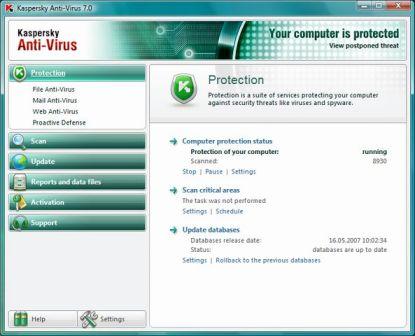
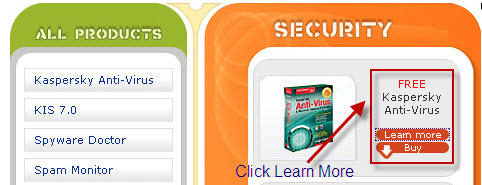
free, in a promotional offer similar to the McAfee Free Anti-Virus offer shared earlier you can grab a 6 month genuine license key for Kaspersky Antivirus 7 absolutely free.


Kaspersky AntiVirus 7

Simply follow the following steps to get your own personal genuine KAV 7.0 activation key which won't get blacklisted.


  1. Visit this Registration page at YuvaYantra.
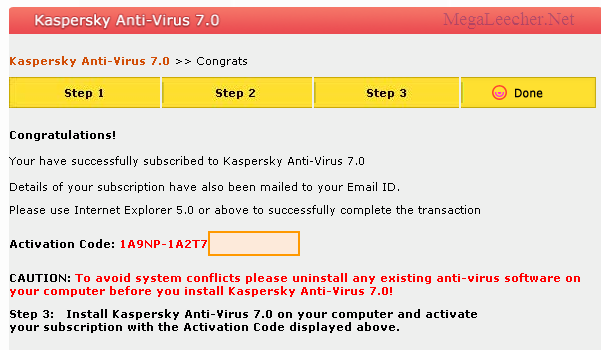
  2. Register with any details of your choice, you can enter fake
    information in landline and mobile phone fields if you have privacy
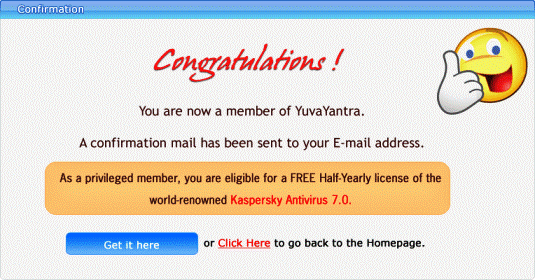
    concerns, you should see success message as below.


    Registration Success

  3. Once registered goto their Homepage and login.
  4. Click the Special Offer link on Homepage after logging in.


    Free Anti-Virus

  5. Follow the steps as instructed to complete the procedure.
  6. You should now see you activation key as below:


    KAV 7 Activation Key

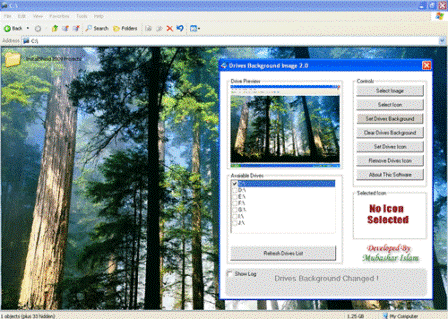
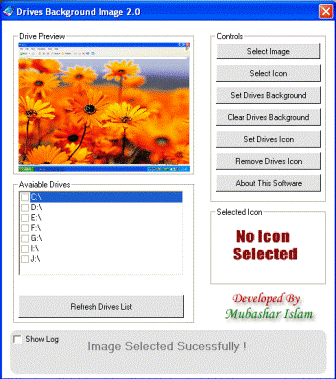
Drives Background Image 2.0 is a nice little free utility to set custom Windows Drives Icons and Windows explorer Background image, the software lets you easily select and set your favorite image as background image and Drives Icon at your will.


Drive Wallpaper

You can have different backgrounds and icons for each drive and get
relived from the same old plain explorer white background and default
Windows drive icons.


Change Drive Icons

Features List


* Autodetect Available Drives

* Set Background To Multiple Drives

* Remove Background From Multiple Drives

* Set Icons To Multiple Drives

* Remove Icon From Multiple Drives

* Auto Recover Default Icons

* Events Log

* Drive Preview

* Icon Preview

* Easy Clean GUI


More Information & Download >>

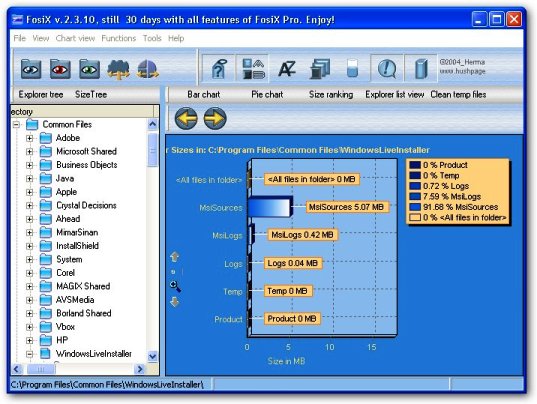
FosiX Lite is a free tool designed to let users analyze their disk space usage graphically,


FosiX Disk Analyzer


IT
provides a simple and easy to diagnose
graphical view of the disk-drive with detailed space usage statistics
and graphs letting your easily pinpoint the space occupiers, The
software lets you easily navigate through those visualized folders by
clicking on the chart elements or by using keyboard shortcuts, The
handy utility also provides options to easily eliminate temporary
files, clean up shortcuts, delete empty folders and clean up internet
traces from your hard-disk to free up some space.


FosiX Lite Homepage >>


Direct Download Link >>

ax 1980 1958 1988 1984


If you got ten minutes to spare, find some picture of your face and upload it to YearBookYourself - some morphs may surprise you.


The site will morph your picture with photos from the 1950’s,
60’s, etc. to give you a good idea about how you would look like if you
were born in that era.

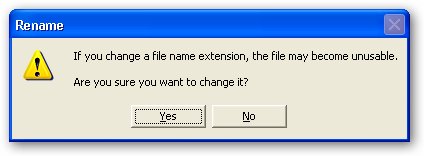
Searching internet is one of the most easiest way to troubleshoot
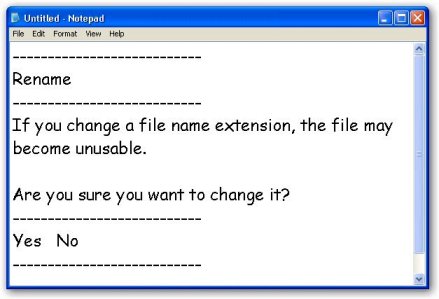
error messages, Microsoft Windows allows you to neatly copy text from
any Error/Warning/Information/Confirmation message box to clipboard by
simply using the standard copy Ctrl + C key combination on the active message box, the copied text can then be pasted on notepad and can be searched for on internet.


Error Message

Copy Error Message

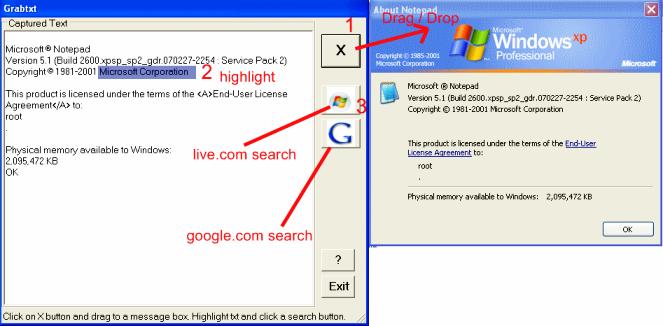
But not all application error dialogs allow users to copy text this easy, this is where GrabTxt comes in, GarbTxt is a free tool to capture text from any window with ease, simply drag the 'X'
button to the desired window and the text gets captured, the captured
text can then be copied to the clipboard or selected text used to
search for details on Google or Live.com with the provided shortcut
buttons.


GarbTxt


Information & Download GrabTxt >>

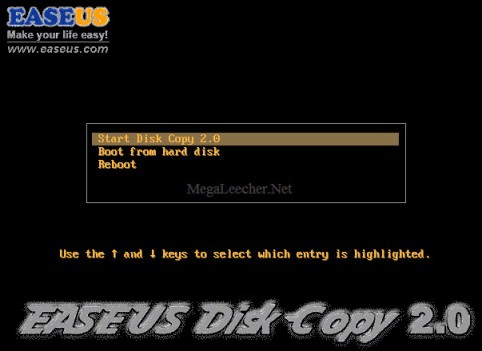
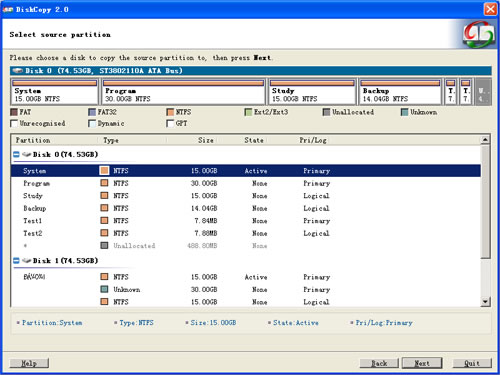
EASEUS Disk Copy is one of the best disk cloning
utility out there, the free platform independent bootable CD allows
sector-by-sector disk/partition copying, via an easy to use wizard
driven friendly graphical user interface, EASEUS Disk Copy can be used to copy, clone, or upgrade your original small hard drive to a new larger drive.


Easeus Disk Copy

Free Hard-Disk Cloner

EASEUS Disk Copy allows users to create EXACT disk and partition clones with fast speed regardless of operating system and file systems, the utility supports IDE, SATA-I, SATA-II, SCSI, Firewire(IEEE1394) and USB drives.


EASEUS Disk Copy Salient Features:


  1. Fast & Easy Disk and partition cloning.
  2. Operating System and File-system independent.
  3. Supports IDE, SATA-I, SATA-II, SCSI, Firewire(IEEE1394) and USB drives
  4. Supports Dynamic Disk
  5. Supports inaccessible disk copy
  6. Friendly graphical user interface
  7. Relay disk space for insufficient destination

With all these features EASEUS Disk Copy is definitely one
of the best free disk-cloning utility, even better then many commercial
solutions in terms of better performance and ease of use.


Information & Download >>

Does your computer have a webcam? If yes, you can easily record and
send video emails to your friends for free with Video Messages, a brand
new service that is part of the growing Windows Live family.

There are two ways to create video messages - you can either record
in the browser or download the Vista gadget to record from the desktop.


According to Windows Live site, Video Messages will launch on September 9 but you can access the site today itself using this URL. The workaround is courtesy Kip Kniskern.


record video message If you are on Windows Vista, go here to download the Video Message gadget for your Vista sidebar.


Windows Live Video Messages provides 2 GB of free storage space for
storing your video email and each video message can be up to two
minutes in length - see FAQ.


You would Silverlight for recording or viewing video email messages. Eyejot
also offers a similar service - you can send unlimited video messages
from the browser that are 60 seconds or less using Flash player.

Now Its again the time to use inbulit(pre loaded) Windows Live Messenger

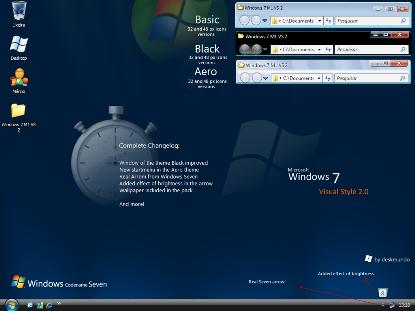
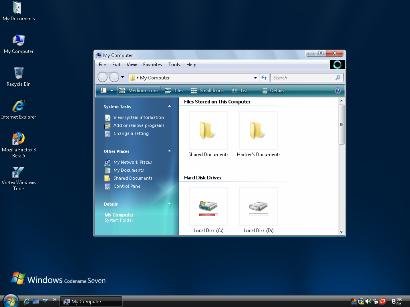
We are not going to get our hands on much anticipated Microsoft Windows 7 anytime soon, but we can enjoy the look and feel now on our Windows XP & Vista system's using the "Windows 7 Desktop Theme",
Since not much details about the upcoming OS is available, the theme
looks very similar to Windows Vista but provide some nice refreshing
changes to the same old look.


To install:


  1. Download Windows 7 Theme here >>
  2. Install "UXTheme Multi-Patcher 6.0.exe" from "UX Theme Patcher" folder.
  3. Double-click "Windows 7 M1 VS.msstyles" in "Theme\Windows 7 M1 VS" folder to install.

Default Windows Task Manager
provides a simple, easy to understand list of all the running process's
on your computer, but if you are a power users and need to diagnose
thing's out this information is not sufficient.


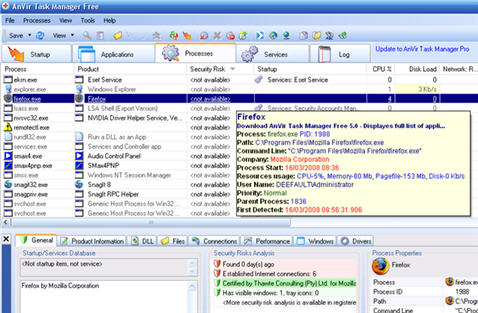
AnVir Task Manager is a free but powerful
replacement for the default Task manager, loaded with all the tools you
will ever need for advanced computer process diagnosis, the software
provides detailed information about every process that is running, and
about applications running automatically on Windows startup with all
the hidden applications.


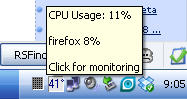
System tray CPU Load

The interface looks cluttered and overloaded with information, but
once you start using, its pretty easy. The main interface is divided
into five tabs Startup, Applications, Processes, Services and Log,
providing all the information you will ever need to know from the
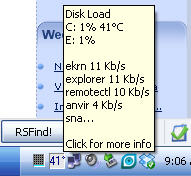
respected function, while loaded into the memory AnVir task manager
displays detailed system information like CPU Load, Most CPU using
process, disk load and temperature with process network usage statics
via tooltips in system tray.


AnVir Task ManagerAnVir Task Manager

Quote From AnVir Website:


Task Manager is utility software that gives users a comprehensive set of tools to put them in full control of their computer.

It gives you detailed information about every process that is running,
and about applications running automatically on Windows startup
including all hidden applications.


* Remove spyware and optimize performance.
* Monitor and
manage processes, services, internet connections, DLLs, drivers, locked
files, learn more about what is going on under the hood.

* Description and security analysis for startup programs and all Windows services, alerts on new startups.

* Icons in tray for CPU, memory and disk load.

* Quick access to last launched programs and favorite folders in system tray.

* Hide windows to system tray.

* Automatically change process priority, permanently block undesired processes.

* Attractive user interface, handy presentation of information. Works fast, uses very little of system resources.


The download link is hard to find on AnVir website, you can download using this direct link.

Windows
Explorer in Vista makes it very easy for you to manage large folders
that have hundreds of files and sub-folders (e.g. Program Files or the
Windows installation folder).

Earlier, if you were to hunt for files that end with a .log
extension or are larger than 2 MB, Windows search was the only option
but things get much simple in Vista Explorer.


Just navigate to the relevant folder in Windows Explorer, click the drop-down next to the name tab and choose "Stack by Name".


windows-explorer


This will immediately group the files by name and it will become relatively easy for you to reach the relevant files.


You can apply similar search filters to group files by size or by file type (extension).


size


file-type


Internally, this is also using the built-in desktop search of
Windows Vista but the implement is more user-friendly and very
efficient.


With
the advent of affordable DVDs, Hard Disk Drives and portable Hard Disks
- most of us have a huge movie collection with us. I have already
amassed several hundred GB of movies myself.


Here's the solution get hold of Movie Label 2009 which easily helps you organize your movie collection. The information about each movie is indexed automatically, using the online IMDB movie database. It also adds images for your DVD, Blu-ray and VHS covers are retrieved from Amazon.

Movie
Label also helps one keep track of loans and future purchases - so you
can keep track of which buddy has which movie of yours. Traditional
media such as DVD and VHS, and advanced digital media such as DivX are
also supported.


Movie
Label also comes with an in-build client and server database engine
that ensures stability and speed no matter the database size - so amass
a entire collection, yet you have optimum speeds. It also comes with a
number of pre-defined reports and a report designer enables you to
print your collection information in a variety of ways. You can also
export your data to HTML, XML, Excel, and text. Movie Label is NOT a
freeware but you can give it a try none the less.


Click on Screen shot to Enlarge

1.Unrar
2.run setup
3.apply product key
4.say thax

[Download]
http://rapidshare.com/files/103466664/NAV081500_YHO.exe

[Product Key]
VWDKKJD4GY77BG6Q22P7XD8V3

[Product Serial Number]
TFQM7X3RJT9J

[Crack]
http://rapidshare.com/files/120434531/na08crk.rar

[Crack]
http://rapidshare.com/files/125651859/N_I_S_0_8_KG.rar

Pass: ntpro

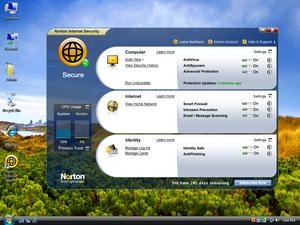
The guys from Symantec have released the latest Norton AntiVirus (NAV) and Norton Internet Security (NIS) 2009
version which claims to be fast, and light on system resources.These
applications are based on latest Norton Protection System, which is a
multi layered set of technologies to stop threats before they gets
active on your system.

Norton AntiVirus 2009
provides fast and up-to-the-minute defense against all types of
malicious software while the Norton Internet Security provides
comprehensive security against all types of online threats.

Norton Internet Security 2009 FREE

The
Norton AntiVirus and Norton Internet security have launched a Norton
2009 Beta Program which allows users to test the software to tryout its
latest features and provide feedback and bug reports.These users can register these Norton Antivirus and Norton Internet Security 2009 for free using the genuine product key for activation.

Latest Features Offered in Norton Antivirus 2009 and Norton Internet Security 2009 are:

  • Innovative new architecture dramatically reduces the boot time impact, the scan time, the memory usage.
  • Smart Idle Time Scheduler runs quietly in the background without disturbing our favorite programs.
  • Silent-Mode ensures your games and movies are never interrupted by alerts and security updates
  • Enhanced Browser Protection - Blocks browser exploits and protects against infected websites (now supports Firefox)
  • Expanded
    SONAR Protection offers real time protection against bots and other
    types of unknown threats without requiring the user to make confusing
    security decisions
  • Improved Home Network Security Networked devices report their health and status through a visual map.

Get free product key or serial number for NAV 2009 and NIS 2009 by visiting Norton AntiVirus 2009 beta download page or Norton Internet Security 2009 beta download page.You have to first select your country and give your valid email address and they will send you valid product key direct download link of Norton Anti virus and Norton Internet security for free.

NAV 2009 FreeNIS 2009 free

Direct link for Norton Internet Security 2009 Download : NIS-16-0-0-BETA.exe

Direct link for Norton AntiVirus 2009 Download : NAV-16-0-0-BETA.exe


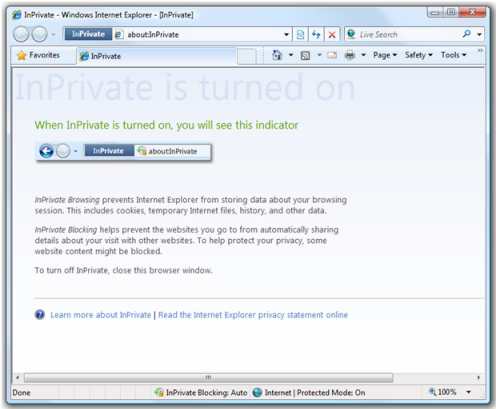
Internet Explorer 8 Beta 2 is now available for public downloading, the most notable change being addition of a "Private Browsing" feature, dubbed "InPrivate™ Browsing"
the feature when activated let users browse website off the record, not
saving any browsing history, cookies, and any other browsing related
data.


IE8 Privacy

While InPrivate Browsing mode, the following takes place:


* New cookies are not stored

o All new cookies become “session” cookies

o Existing cookies can still be read

o The new DOM storage feature behaves the same way

* New history entries will not be recorded

* New temporary Internet files will be deleted after the Private Browsing window is closed

* Form data is not stored

* Passwords are not stored

* Addresses typed into the address bar are not stored

* Queries entered into the search box are not stored

* Visited links will not be stored


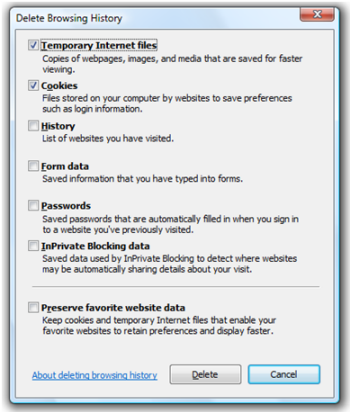
The new Beta also includes a "Delete Browsing History" option similar to Firefox "Clear Private Data" feature, allowing users to selectively delete browsing data with ease.


Delete Browser History


Download Internet Explorer 8 Beta 2 >>